
Autodesk User Management "Improvements"
Updated: May 19, 2025
We have all endured the trial and error process when software companies introduce major changes. The Autodesk Manage Portal is no exception. Hopefully these new changes will solve a lot of confusion though.
Easier invite:
Instead of a fixed text box that requires additional manual effort, they’re providing new invite options to make it easier for us to invite users:
Invite one user at a time
Invite multiple users at once
Autodesk have fallen into line with other software providers, so you can now copy and paste your invite list directly from Outlook or Gmail.
Old format: Jane, Doe, Jane.Doe@email.com
New format: Jane Doe <Jane.Doe@email.com>
This a great time saver and works toward more predictable behaviours.
Coming soon:
Bulk import: Upload a .csv file to add a large number of users at once.
Import to assign: Upload a .csv file to add and assign a large number of users at once to a specific product.
Hopefully there won't be too much trial and error in the process of getting this right.
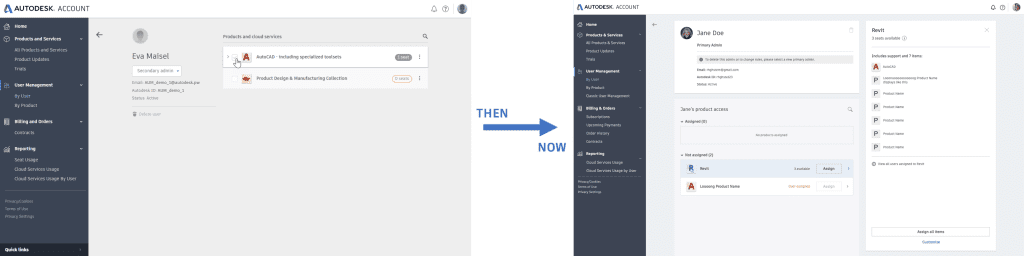
2. New assign button
To prevent accidental assigning, they have updated the assign capability from a check mark to a clearly labelled button! This change will also make it easier to see which products have already been assigned to the user. I'm yet to see if this is an improvement or simply adding clicks to a seemingly very simple process.
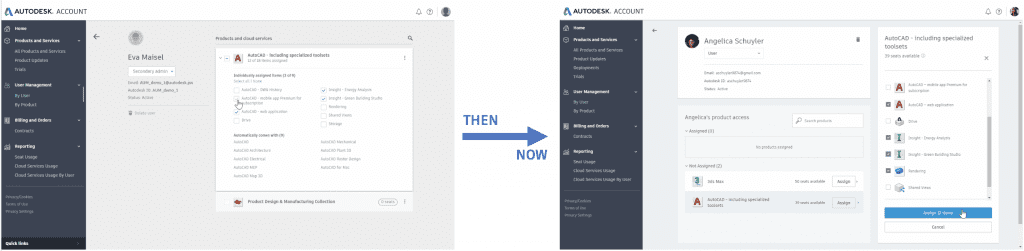
3. Confirmation before changesto product access are made
Products with additional cloud services and add-ons, such as rendering, can be turned on or off for individual users. To prevent errors, they have added a confirmation screen that allows you to save or cancel your changes.
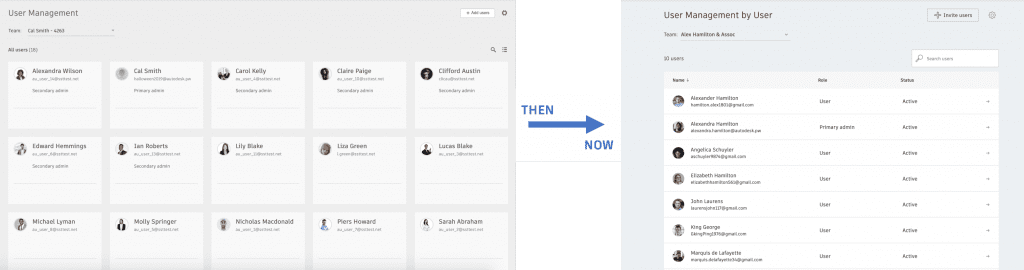
4. Update to look and feel
Autodesk are retiring card view and providing user management in list view, just like it was before they made the change... because apparently you can easily search and sort your users and products. they have also updated the general look and feel of user management to make it more like it was before they updated it previously.
Check out theroadmapto see what other updates are coming soon!


Comments