

Discover Advanced MKS DTECH BIM solutions for the AEC Industry
MKS DTech proudly offers mks dtech bim solutions designed to revolutionize design workflows in the AEC sector. Our solutions seamlessly integrate with Rhino and Revit, enhancing efficiency and collaboration. Learn how mks dtech bim solutions can streamline your projects and elevate your designs with innovative features tailored for architects and engineers.

BEAM
Enhance Your BIM Modeling
Rhino + BIM
BEAM is the go-to solution for architects, engineers, and designers to seamlessly create BIM elements in Rhino and transfer them to Revit or IFC, eliminating the hassle of complex workflows.

ENHANCE YOUR BIM MODELING
Bring BIM to Rhino® with BEAM.
Enrich your Rhino geometry with BIM data and seamlessly export to Revit™.
Import and export IFC files at any stage of your workflow, enabling smooth collaboration across platforms.
With BEAM, you can transition your designs into the digital BIM ecosystem, enhancing efficiency and streamlining your process.

Ray
BLOCS
Revit to Rhino
Blocks Automation
Transfer edge curves, solid geometry, parameters and materials from Revit to Rhino in a single click
Use Rhino blocks to create Family instances in the Revit document optimising repetition and patterns.
With BLOCS is very easy to generate complex lightweight models efficiently.
URSA
BEAM
Adaptive Components
Built for Flexibility
BEAM is packed with URSA.
Use Rhino poly-lines and points to drive adaptive components placement.
BEAM has an extensive set of tool to perform any workflow possible, in families or projects.
In a Project, BEAM imports elements grouped in families, updating them automatically. In a Family, use BEAM to add geometry and family types. switch between design options.
The speed and ease of use to work between Revit and Rhino, make BEAM a no brainer!
Like Viewlistic,
the team at MKS DTECH are from Architecture and engineering
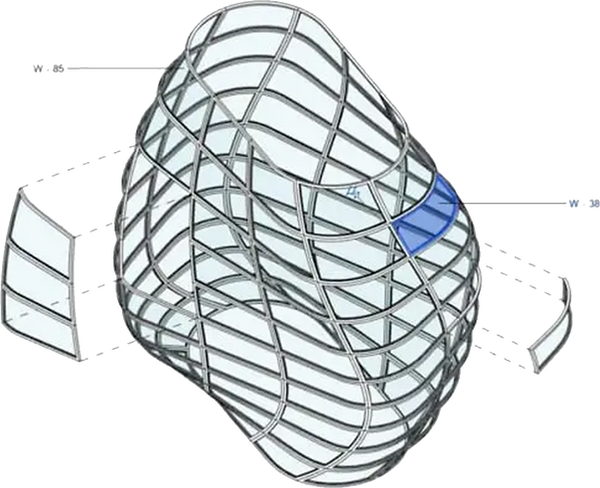
They are constantly developing the products and features, as well as a road map packed with additional features.
Rhino BIM
Expand your toolset.
With BEAM, you can create BIM objects such as walls, windows, floors, and more, directly in Rhino.
Assign parameters and materials just like in traditional BIM platforms.
Manage all BIM data through a dedicated panel, where you can easily update, organize, and maintain information within the Rhino file.
Generate schedules, apply filters, and group elements by parameters to extract valuable insights from your model at any stage of the process.
BEAM makes Rhino ready for real BIM workflows.
.avif)
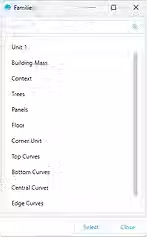


Interoperability saves time
assign information and parameters to Rhino’s geometrical objects and bring them to Revit easily, updating components and creating a connection between the models saving hours of work.
Unleash your Design
Now designers can combine the unlimited modelling capabilities of Rhino, with the power of Autodesk’s best in class parametric Building Information Modelling powerhouse Revit
Seamless Connection
Designers can now seamlessly combine Revit elements to complementary complex geometry and bring the power of free-form design to BIM.


